
Agency setup
Every GTFS feed needs at least one agency record (agency.txt). The Agency panel is where you set the publisher name, public URL, and timezone — and where you add a second agency for joint feeds where two operators share a single GTFS publication.
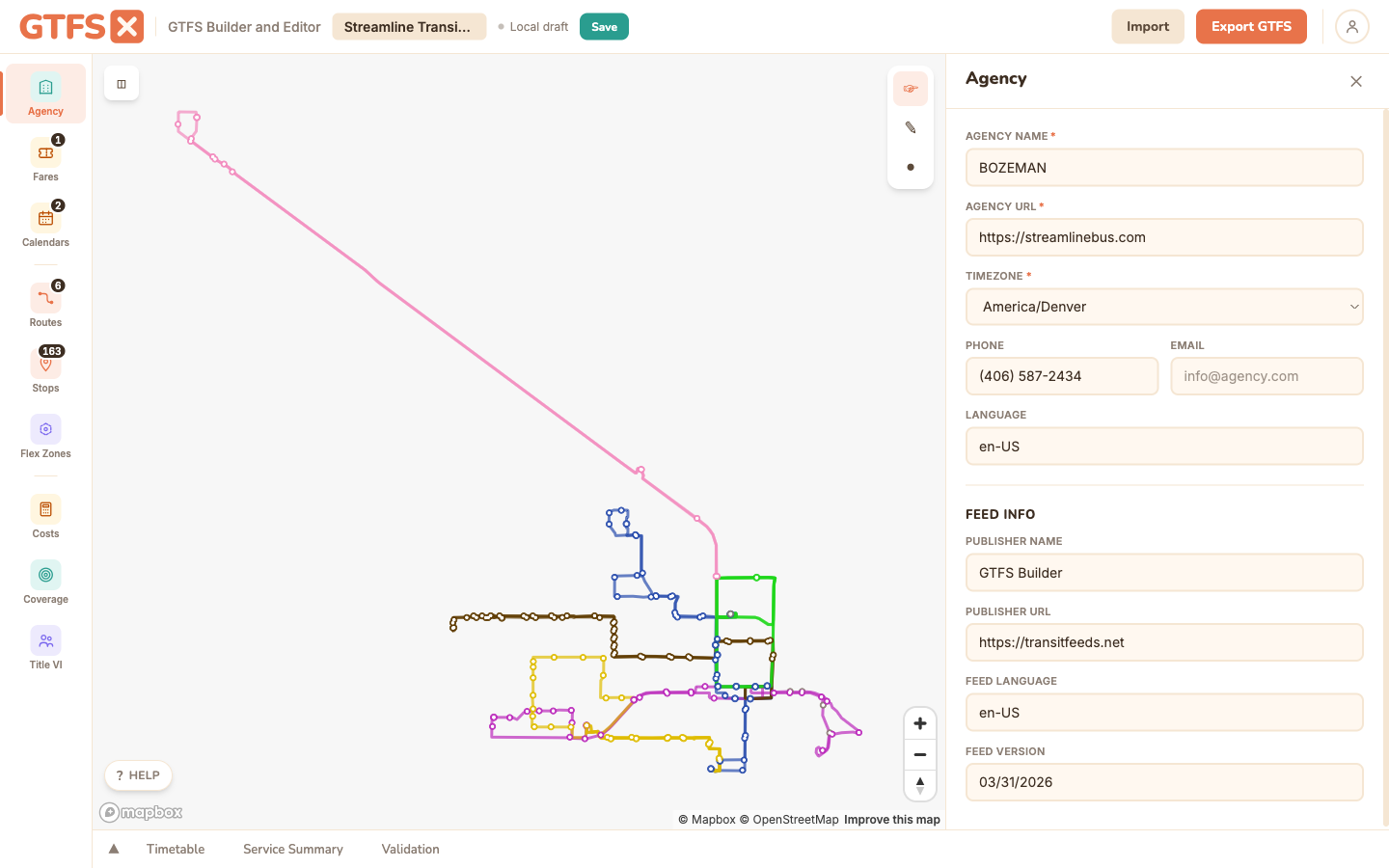
Required fields
agency_name— the public-facing name of the operator. Shown in trip planners next to the route ("Run by Sunny Valley Transit"). Use the agency's actual short name, not a project codename.agency_url— the agency's public website. Riders see this in some trip planners as the "more info" link; for compliance reasons it should resolve, not 404.agency_timezone— the IANA timezone (e.g.America/Los_Angeles,America/Denver) allstop_timesin this feed are interpreted in. Pick the timezone the schedule was authored in; trip planners convert from there.
Optional fields
agency_id— required only when the feed has more than one agency. If you have a second agency on the feed, every route, fare, and (where relevant) attribution row needs to specify which agency it belongs to viaagency_id. With a single agency, the field is optional and most agencies leave it blank.agency_lang— the primary language for the agency's text (BCP-47 code;enfor English). Helps trip planners pick the right text-to-speech voice and date formatting.agency_phone— public contact number. Shown by some apps; useful for riders trying to reach customer service.agency_fare_url— link to a page describing fare policy. Useful when the fare data alone doesn't tell the whole story (transfer rules, fare-capping policies).agency_email— internal contact for the GTFS feed itself (often a genericdata@alias). Used by feed catalogs to reach the operator about quality issues.
Multi-agency feeds (joint operators)
Joint feeds are common when a regional fixed-route operator and a separately-branded microtransit partner share GTFS publication, or when a state DOT publishes a unified feed across several rural operators. The pattern is:
- Add a second (or third…) agency in the panel. Each gets a unique
agency_id. - Edit each route in the Routes panel and assign it to the correct agency via the Agency dropdown.
- Fare records also carry an
agency_id; the editor sets it automatically based on the route(s) the fare applies to.
One thing to know: each agency has its own timezone. A feed with operators in two timezones (say, an interstate transit district) is valid, and stop_times are interpreted in the agency of the trip's route. This is the correct way to model service that crosses a timezone boundary — don't try to "normalize" everything to one timezone, because riders will see wrong departure times.
Edge cases and gotchas
- Timezone IDs change rarely but they do change. Use current IANA names (
America/Indiana/Indianapolis, not the deprecatedUS/East-Indiana). Older feeds often have stale names; the editor's timezone picker uses current names. - Don't put the publishing tool in agency fields. A common mistake on first feeds is to set
agency_nameto "GTFS·X" or the consulting firm. The agency is the transit operator the rider rides, not the entity that produced the GTFS data. Usefeed_info.feed_publisher_nameif you want to credit the data publisher separately. - Don't leave
agency_urlas a placeholder.https://example.comwill pass GTFS validation but fail Google Transit Partners' onboarding review. Use the real URL or skip the field.
See also
- Quick start — agency setup is step 1.
- Routes & shapes — where you assign routes to agencies.
- Import & export — agency fields preserved on round-trip.