
Validation
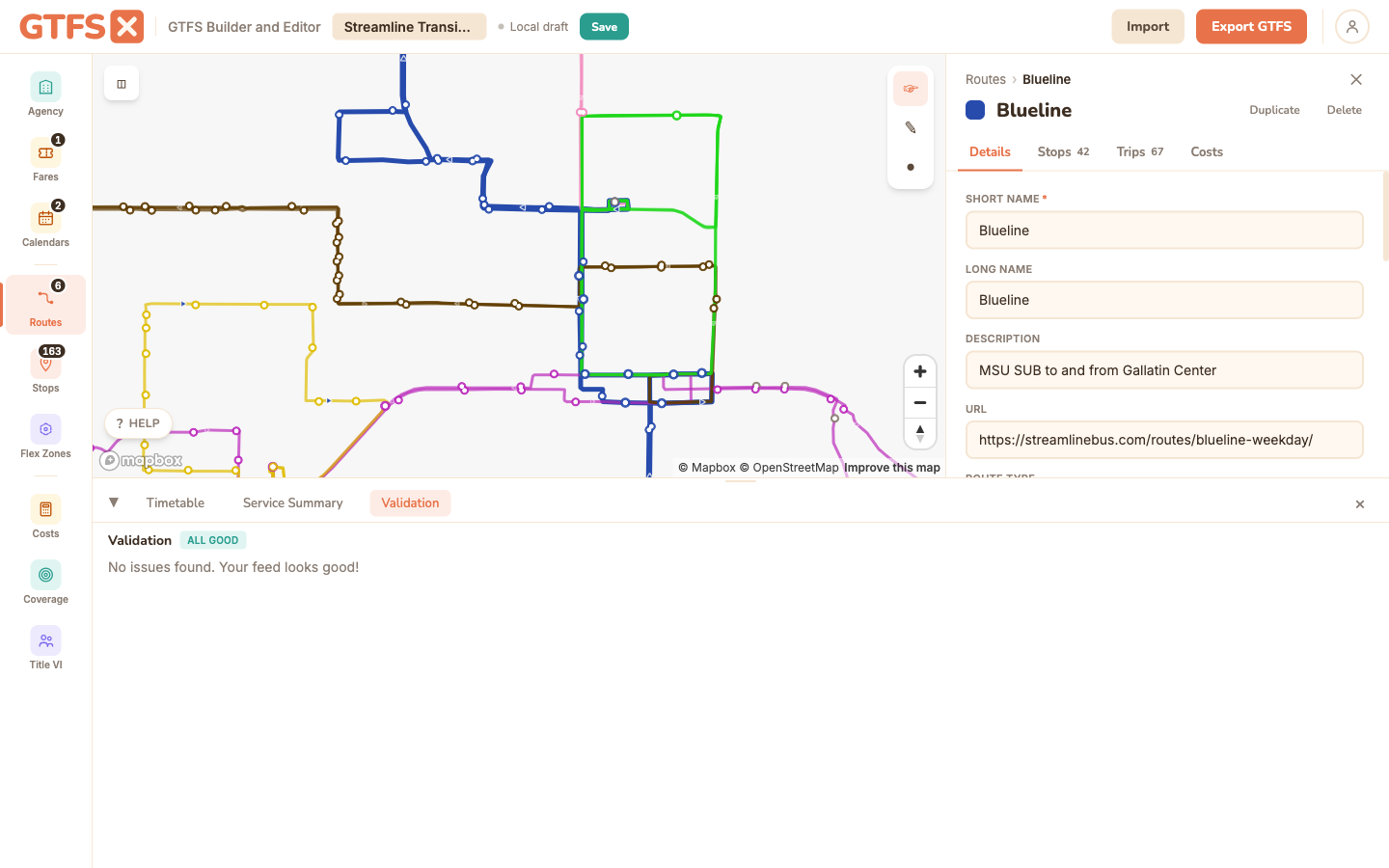
Validation runs continuously as you edit. Errors and warnings appear inline next to the entity that owns them; a Validation tab in the footer lists every outstanding issue. Errors block export — they're spec violations that would make the feed unusable. Warnings allow export but get flagged for review. The editor's rule set is aligned with the canonical MobilityData GTFS Validator, so what passes here passes there.
Errors vs. warnings
- Errors are spec violations: required fields missing, references that don't resolve, malformed times, duplicate primary keys. Export refuses to produce a ZIP while errors exist — fix them first.
- Warnings are conditions that are technically valid but probably wrong: a route with no fare assigned, a stop served by no trips, a service pattern with no holiday exceptions configured. Export proceeds but the warnings travel with the feed in the export summary so you can decide whether to address them before publishing.
The editor doesn't second-guess this distinction. If the validator says it's a warning, you can ship; if it says it's an error, you can't. The defaults match MobilityData's published rule set, so feeds that pass here pass that validator.
Inline messages
Most validation messages appear next to the entity that owns them: a red border on a route with no shape, an inline warning on a stop with no name. Click the message to jump to the editor section that owns the entity — the editor opens the right panel, scrolls to the row, and highlights it.
For messages that don't belong to a specific entity (feed-level issues — missing feed_info, stale date ranges), the Validation footer tab is the canonical place to read them.
The Validation tab
Open Validation in the footer to see every issue in one list, grouped by severity and entity type. Each row is clickable; clicking jumps to the entity (same behavior as the inline messages). Filter by severity if you want to focus on errors first.
For a published feed, run the canonical validator separately as part of your release process — the editor catches the same issues, but having a second tool in the loop is good practice for high-stakes publishes (Google Transit Partners submission, agency boards reviewing feed quality).
Common warnings worth addressing before publishing
- No fare data. The empty-fare warning surfaces from the moment a feed has any routes. See Fares for the cheapest fix (add a single flat fare).
- Holiday exceptions missing. A service pattern that doesn't have any
calendar_datesexceptions on US federal holidays is suspect — most agencies operate reduced service or no service on those days. The Calendars panel nudges you about this, and its Add US holidays picker (in a pattern's Exceptions subpanel) fixes it in a couple of clicks. - Stops served by no trips. Stops that exist in the feed but no trip visits. Usually leftover from a deleted route. Either delete the stop or attach it to a trip.
- Route with no fare. A route exists but no
fare_rulecovers it. Either the flat-fare default should apply (and you can ignore the warning) or the route needs a specific fare assigned. - Stale date range. A service's end_date is in the past or within two weeks. Refresh the dates and re-publish.
Common errors that block export
- Trip references a missing route_id. The trip's
route_iddoesn't exist inroutes.txt. Usually from a deleted route that left trips orphaned. The export dialog offers an auto-fix to drop the orphan trips. - Stop_times references a missing stop_id. Same shape — stop deleted, stop_times left behind.
- Non-monotonic stop times. Within a trip, stop_sequence[i+1]'s time is earlier than stop_sequence[i]'s. Typo in the time, or interpolation that ran too fast at an intermediate point.
- Required field empty. Agency missing a name or timezone; a route missing route_type; a calendar missing dates.
Edge cases and gotchas
- Validation runs in your browser. No data leaves the page. For large feeds (thousands of trips, tens of thousands of stop_times) the validator is fast but not instantaneous; expect a slight pause after a bulk edit.
- External validators may report extra rules. The canonical MobilityData validator runs server-side and applies some checks the editor doesn't (deep geometry validation, cross-feed reference checks). Pass the editor's rules first, then run the canonical validator as a final gate.
- Warnings aren't optional in the long term. A pattern of warnings that ship with every feed eventually trains downstream consumers to filter you out. Treat the Validation tab as a punch list, not an "informational" surface.
See also
- Import & export — validation runs at both ends.
- Fares — most-common warning category.
- MobilityData GTFS Validator — the canonical external validator.