
Fares
Fare data is strongly encouraged. Trip planners and rider-facing apps depend on accurate fare information, and a feed without it is materially less useful to the people consuming it. The Fares panel writes GTFS-Fares v1 (fare_attributes.txt + fare_rules.txt); v2 round-trips on import/export today, with an editor UI on the roadmap.
When to use it
Every published feed should have at least a flat fare. The empty-fare warning that surfaces persistently in the editor isn't pedantic — Google Transit and Apple Maps both reduce the quality score of feeds without fares, and the user-facing apps that rely on fare data (Transit, Citymapper, OneBusAway, OpenTripPlanner deployments) will display "Fare: unknown" next to your trips when riders look them up.
Flat fare (the simplest case)
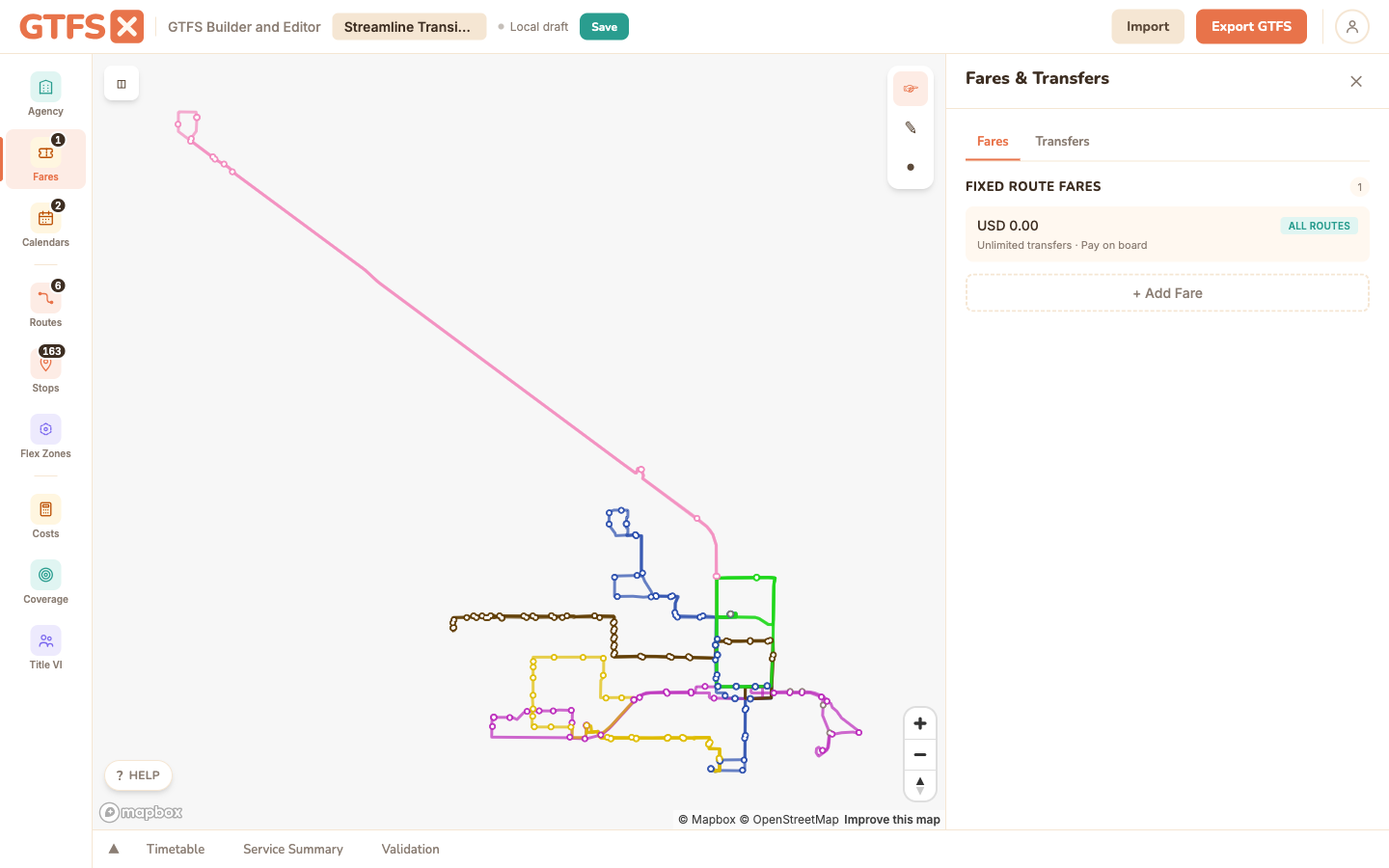
One fare, applied to every route. The 80% case for small and mid-size agencies. In the Fares panel:
- Click Add Fare.
- Set the price (e.g. 2.00), currency (USD), payment method (1 = before boarding, for prepaid; 0 = on board, for cash-on-bus), and transfer policy (0 = no transfers, 1 = one transfer, 2 = two transfers, blank = unlimited).
- Save. The fare applies to every route by default.
Multiple fare types
For agencies that publish reduced fares (senior, student, disability), add additional fare_attributes.txt records — one per fare class. The editor uses a fare_id naming convention that prefixes the class: senior-, student-, reduced-, free-. Pick the prefix that matches the agency's published fare list.
Note: GTFS v1 fares don't have first-class "rider category" records — fare class is encoded by convention in the fare_id. GTFS-Fares v2 adds rider_categories.txt as a first-class concept; for agencies that need explicit rider categorization in their published data, v2 is the right path (round-trips today; editor UI planned).
Zone-based fares
For zone-based systems, each stop gets a zone_id, and fare rules define what each origin → destination pair costs.
- Assign a
zone_idto each stop. (Zone IDs are arbitrary strings — "Z1", "DOWNTOWN", "RING_1" — pick something stable and short.) The fastest way is the Zones tab described below; you can also set a single stop's Fare Zone ID field in the stop editor. - Back in the Fares tab, add a fare with a price for each zone-to-zone combination. The editor presents a matrix view; fill in the cells.
- For symmetric fare schedules ($1 from Z1 to Z2 and also from Z2 to Z1), the matrix lets you toggle "mirror" so you only fill the upper triangle.
Stops without a zone_id fall back to the system-wide default fare. If you have a partial zone system (downtown is zoned, suburbs are flat), set zones only on the affected stops and the default fare covers the rest.
Drawing zones on the map
Assigning a zone_id to dozens of stops one at a time is tedious, so the Fares panel has a Zones tab that lets you stamp a zone onto every stop inside a region you draw. A GTFS-Fares v1 zone has no geometry of its own — it's just a string on each stop — so this is a fast bulk-assign, not a saved boundary.
- Open the Zones tab and type the zone to assign in Zone to assign (it autocompletes from zones already in the feed).
- Click Draw on map to assign, then click the map to drop the corners of a region and double-click to close it.
- Every stop inside the shape is stamped with that
zone_id, and the panel reports how many stops it assigned.
The polygon itself isn't kept — only the per-stop zone_id is saved — so to adjust a boundary you just redraw and reassign. The tab also lists Zones in this feed with a stop count for each, and how many stops aren't in any zone yet, so you can see your coverage at a glance.
Transfers (transfers.txt)
The same Fares panel has a Transfers tab for transfers.txt — recommended / timed / minimum-time / not-possible rules between stop pairs. These are routing semantics, not fare rules: they tell trip planners how to chain trips together. See Transfers for the full reference; the panel reuses the same Transfers editor it used to live in standalone.
GTFS-Fares v2
v2 is a major rework of the fare spec: distance-based fares, transfer rules with discounts and time windows, rider categories, fare media (cash vs smartcard vs contactless), and capped-fare patterns. It lives in a parallel set of files (fare_products.txt, fare_leg_rules.txt, fare_transfer_rules.txt, plus the supporting areas / networks / timeframes / rider_categories / fare_media tables) and coexists with v1 — consumers prefer v2 when present.
What works today: import a v2 feed, edit the v1 portion in the editor, export — every v2 file you imported is preserved on export. Round-trip is covered by integration tests.
What's not yet available: authoring v2 records from scratch in the editor. The Phase 2 editor UI (Areas, Networks, Fare Products, Leg Rules, Transfer Rules) is on the roadmap. Until it ships, agencies that need to author v2 typically maintain it in a spreadsheet alongside the editor.
Edge cases and gotchas
- Prices are decimal strings. "2.00" (with the dot) is correct; "200" (as cents) is wrong. The spec stores fare price as a decimal in the currency's main unit.
- Currency must be ISO 4217. USD, CAD, MXN, EUR. The editor's currency picker uses ISO codes.
- "Transfers = blank" means unlimited. Don't set it to a big number; leave the field empty.
- Free fares are allowed. Price 0.00 with currency_type set models a free service (university shuttles, downtown circulators). Apps display "Free" instead of "Unknown."
- One agency, one currency. Multi-currency feeds aren't a supported scenario in v1. If you operate cross-border service with different currencies, that's a v2 use case.
See also
- Transfers — routing transfers, edited in the same panel under the Transfers tab.
- Stops —
zone_idis set per stop in the Stops panel. - Routes & shapes — route-level fare assignment.
- Validation — the empty-fare warning surfaces here.